
Last reviewed: August 3, 2026
Ensuring accuracy of all owners and other people listed in the CLS portal during renewal is a critical step in the process. Review these steps to verify owners and financial interest holders.
Business/People>Owners
Review the list of owners for the license. If the list is inaccurate, the licensee must submit Form DCC LIC 27: Notifications and Requests to Modify a License and submit to licensechange@cannabis.ca.gov. Continue with the renewal after the form has been emailed.
For more information on this section you can refer to the Owner Submittal Form DCC 9101. The Department will use the information provided to determine the owner’s qualification for licensure. Failure to provide the requested information will result in processing delays.
Owners verification
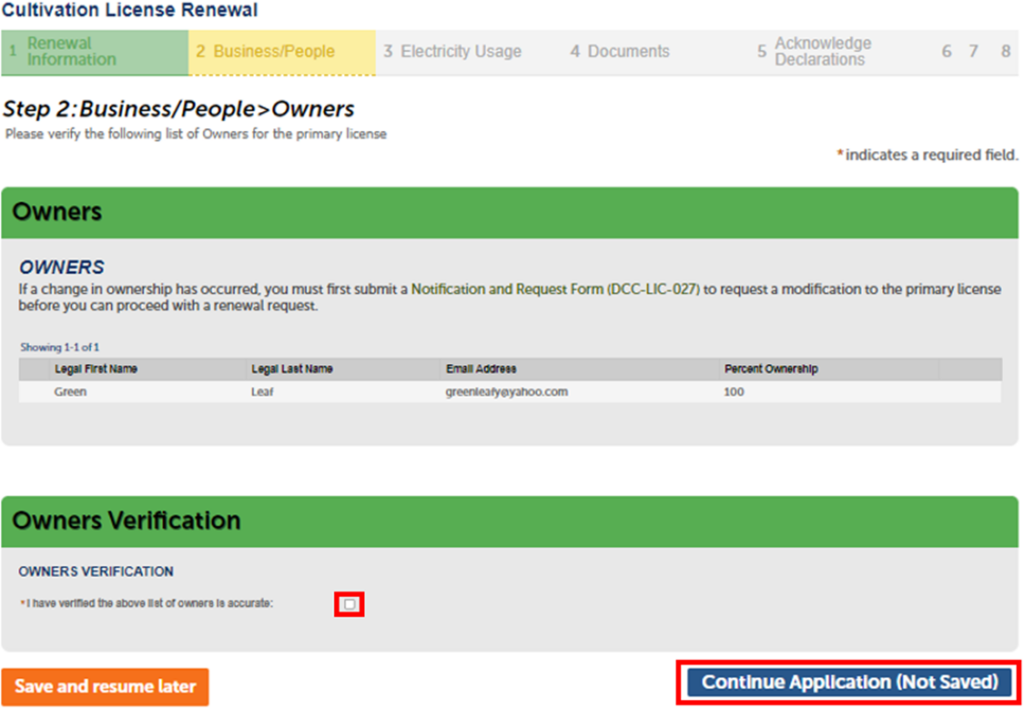
Once you have reviewed the owner’s information and it is correct, check the box under “Owners Verification” to confirm accuracy.
Select Continue Application to move on to the next page.
Financial interest holders
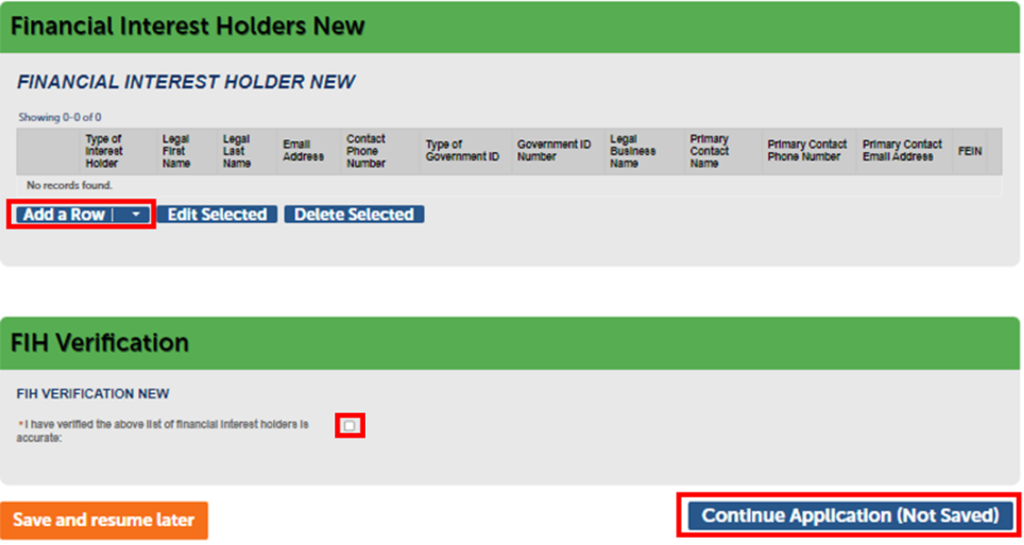
Next, add the list of Financial Interest Holders (FIH) for the license.
Click Add a Row for each FIH and make sure each applicable field is filled out. Add an additional row for each person by selecting the drop-down arrow.
Once the FIH has been verified or added, check the box to confirm.
Select Continue Application to move on.
Continue to next article
-
CLS renewal: Labor peace agreements
California state law requires many commercial cannabis licensees to enter into and abide by Labor Peace Agreements (LPAs). For more information, please see Labor Peace Agreement for Cannabis Businesses on the Department of Cannabis Control website. Select your answer to the questions below regarding the number of employees. Depending on your selection, you will need to…