
Last reviewed: August 3, 2026
Upon renewal of a license, licensees authorized to engage in cannabis cultivation are required to report total electricity use for each power source used during the previous licensed period.
Documents
Under the Documents page, you may upload a copy of the document utilized to prepare the electricity usage information. For information on Electricity Usage Reporting Requirements, refer to this resource: Electricity usage reporting requirements.
Note: The file name must not contain spaces or special symbols.
- Electricity Usage: You may upload supporting documentation to go along with your electricity usage information.
- Premises Diagram: A new Premises Diagram is only required if you selected Yes to the Cultivation License Size Change question. The diagram must identify the canopy area(s) of the original cultivation license and new license type and meet all existing requirements. See guidance on our website for premise diagrams by reviewing this resource: A Reference Guide for Creating a Premises Diagram.
- Labor Peace Agreement: Depending on the number of employees, you will need to provide either a notarized statement or a copy of the signature page of your Labor Peace Agreement. Please review what is required under the Attachment section.
Note: The new canopy area must be located within the canopy area of the Original Cultivation License.
Attachments
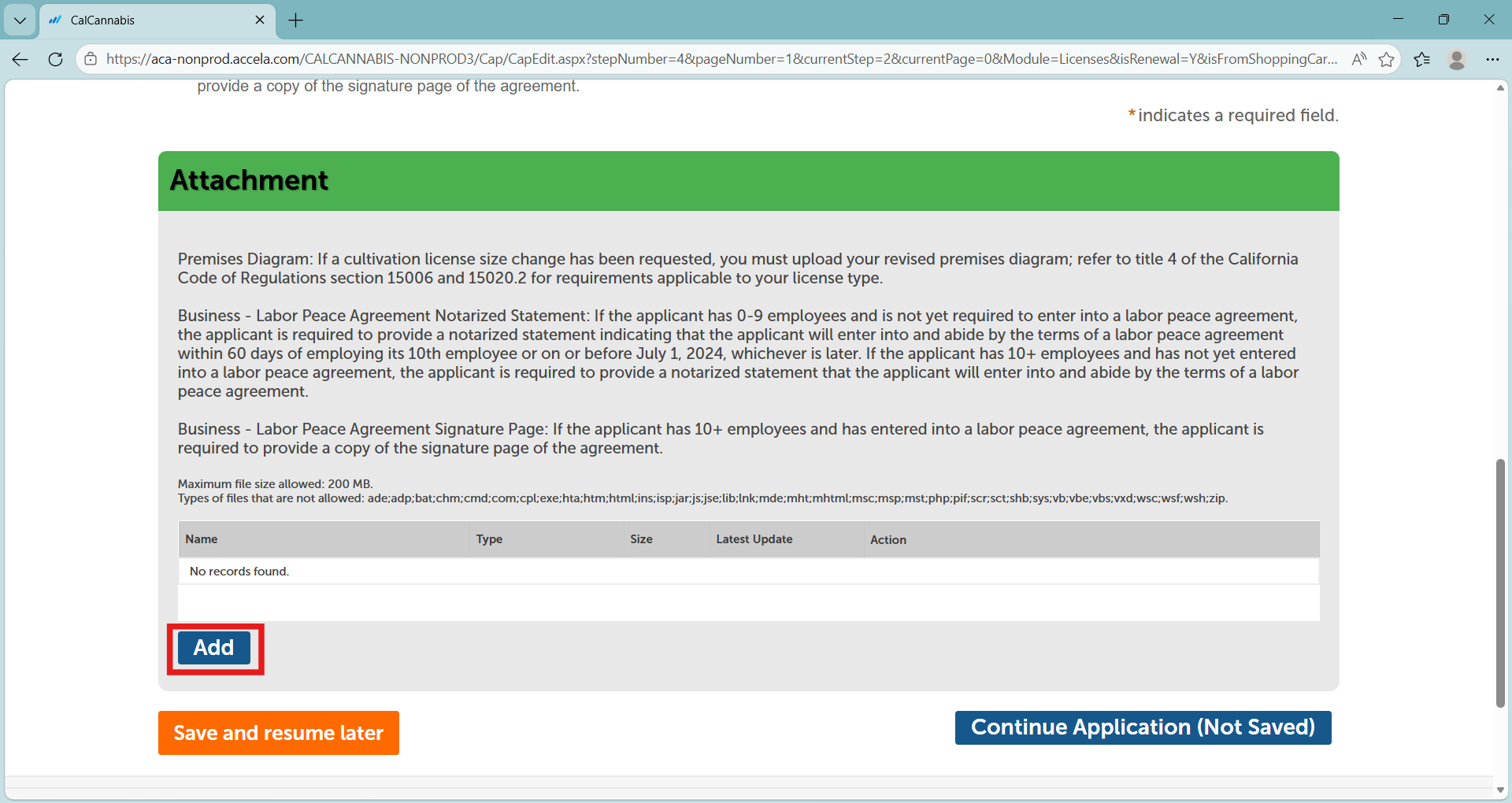
At the bottom of the screen in the “Attachment” section, click Add to begin uploading any documents you need to attach.
Note: The maximum size for file attachments is 100 MB.
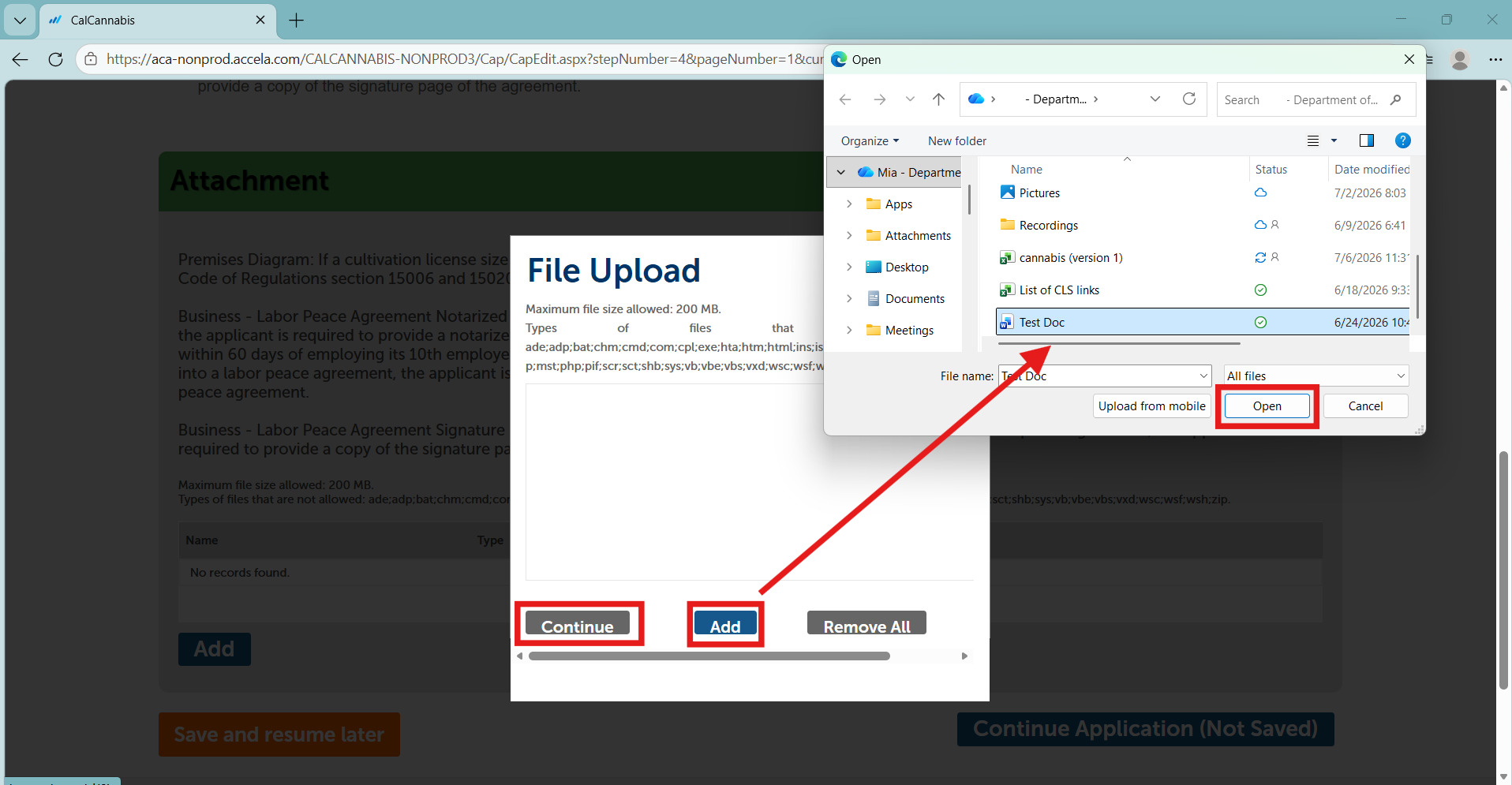
Click Add in the pop-up window and a file selector dialog display.
Double-click or select the file you want to upload from your computer’s drive and click Open.
Click Add again if there is more than one file and click Continue when done.
Select a document Type from the dropdown list. It is recommended that you type in a description of the document in the text box to easily identify each document.
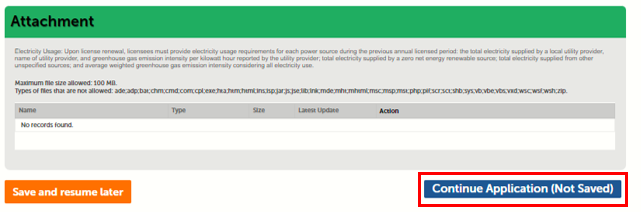
Click Save when you are ready to save your documents. Select Continue Application to proceed.
Acknowledge declarations
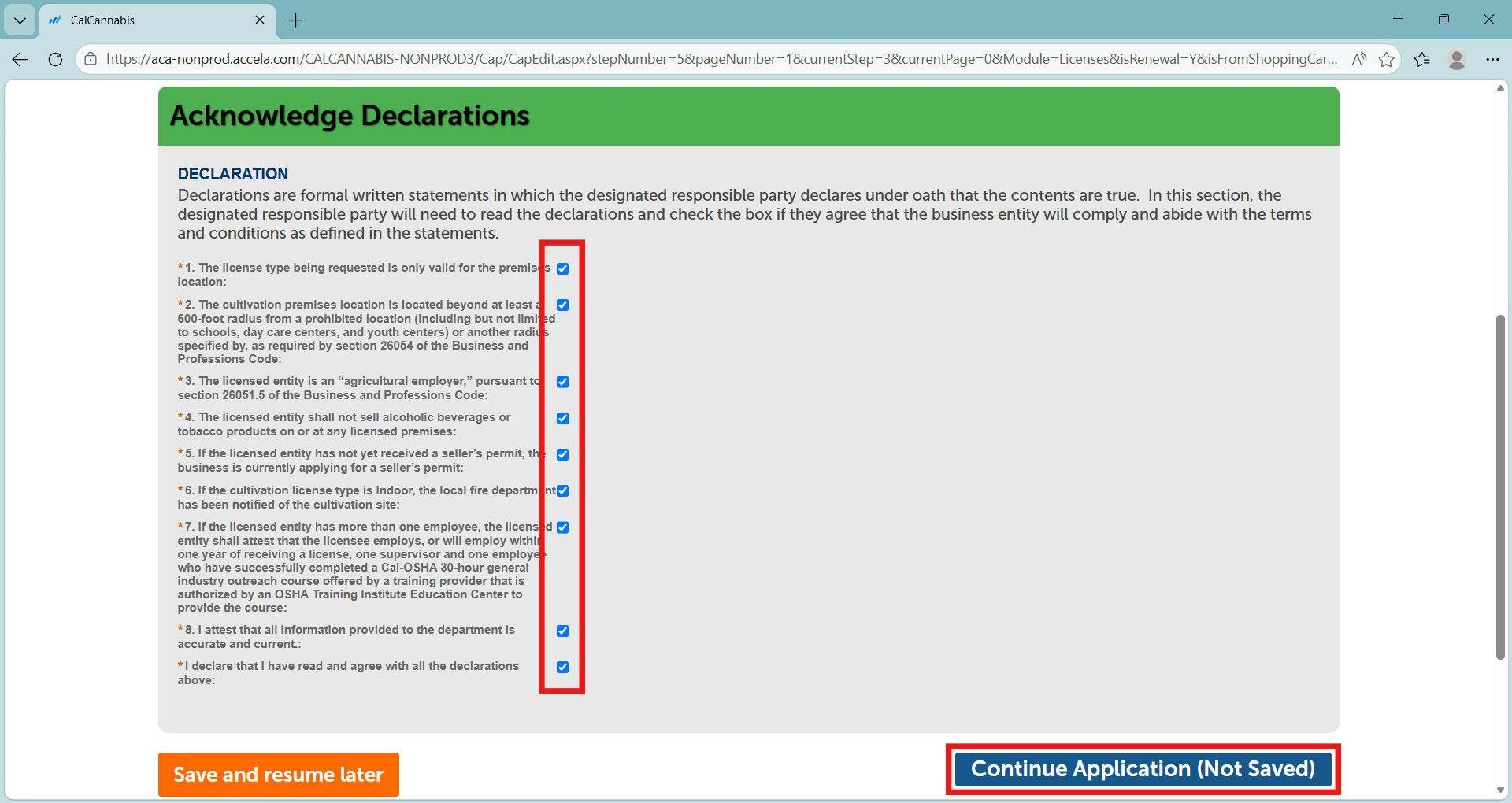
On the “Acknowledge Declarations” page, check off the box next to each statement confirming your acceptance.
Select Continue Application to proceed.
Continue to next article
-
CLS license renewal payments
The license fee is due each year upon completion of submitting the license renewal, providing all the required documents, acknowledging the declarations, and reviewing all the information you have entered. Cultivation license renewal fee On the Pay Fees page, select Credit/Debit Card to pay with card or Cash/Check to pay with cash or check. Cash…