
Last reviewed: August 3, 2026
The license fee is due each year upon completion of submitting the license renewal, providing all the required documents, acknowledging the declarations, and reviewing all the information you have entered.
Cultivation license renewal fee
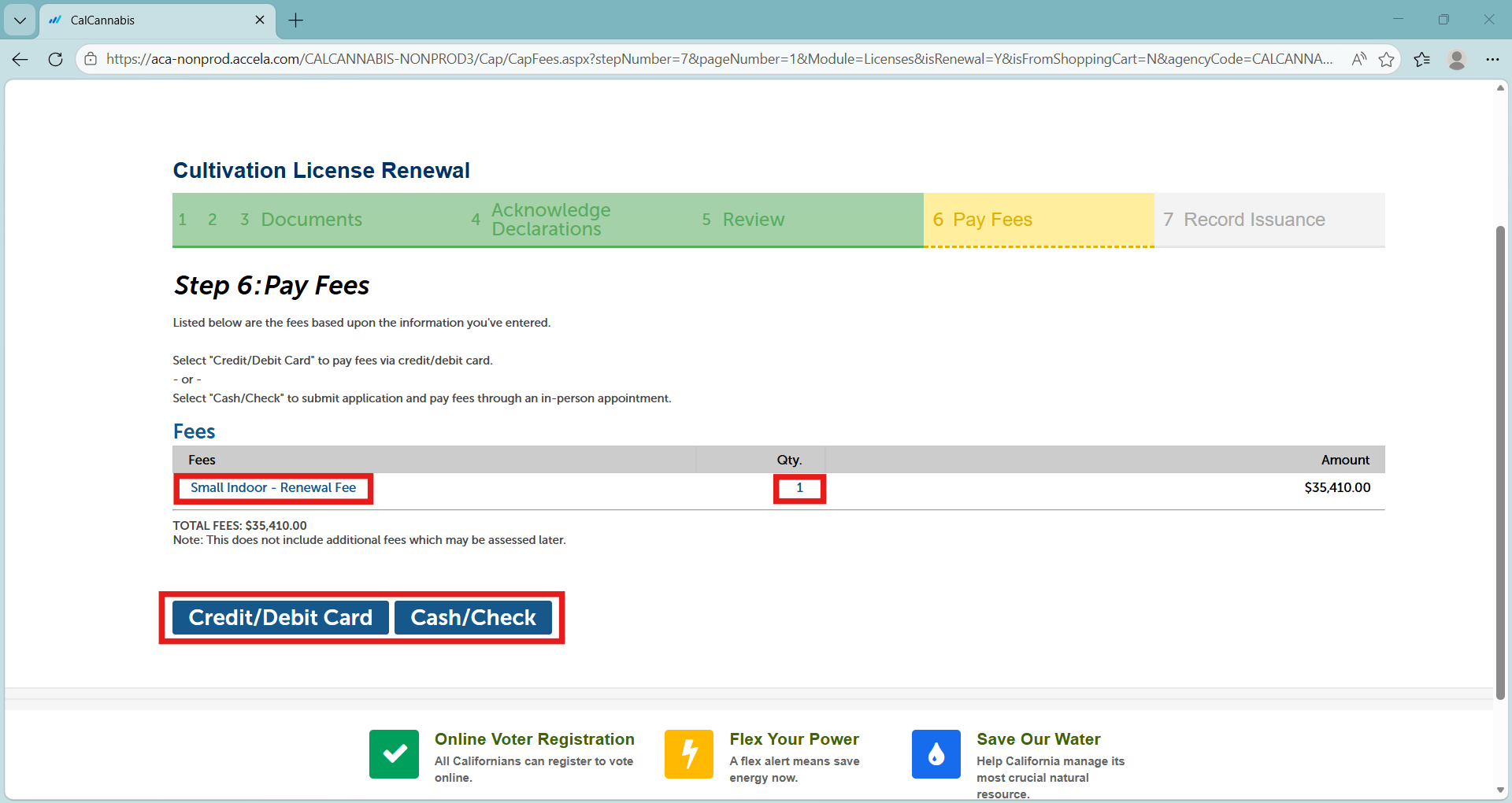
On the Pay Fees page, select Credit/Debit Card to pay with card or Cash/Check to pay with cash or check.
Cash payments must be made in-person, by appointment at one of our three offices. Checks can be mailed. These options are the same as the ones you used to pay your license fees. More information can be found here.
Note: If requesting a fee deferral, select Cash/Check. Once your renewal is processed, you can email equity@cannabis.ca.gov for confirmation. To learn more about fee relief, you can visit our fee relief webpage.
One-time expiration date change
If you selected a one-time expiration date change, the fees will be prorated from date of expiration to the new expiration date.
Limited operations
If you selected “Yes” for limited operations, the fees due will be 20% of original license renewal fee.
License size change
A change in license size will result in a different renewal fee based on the license size type.
Checkout
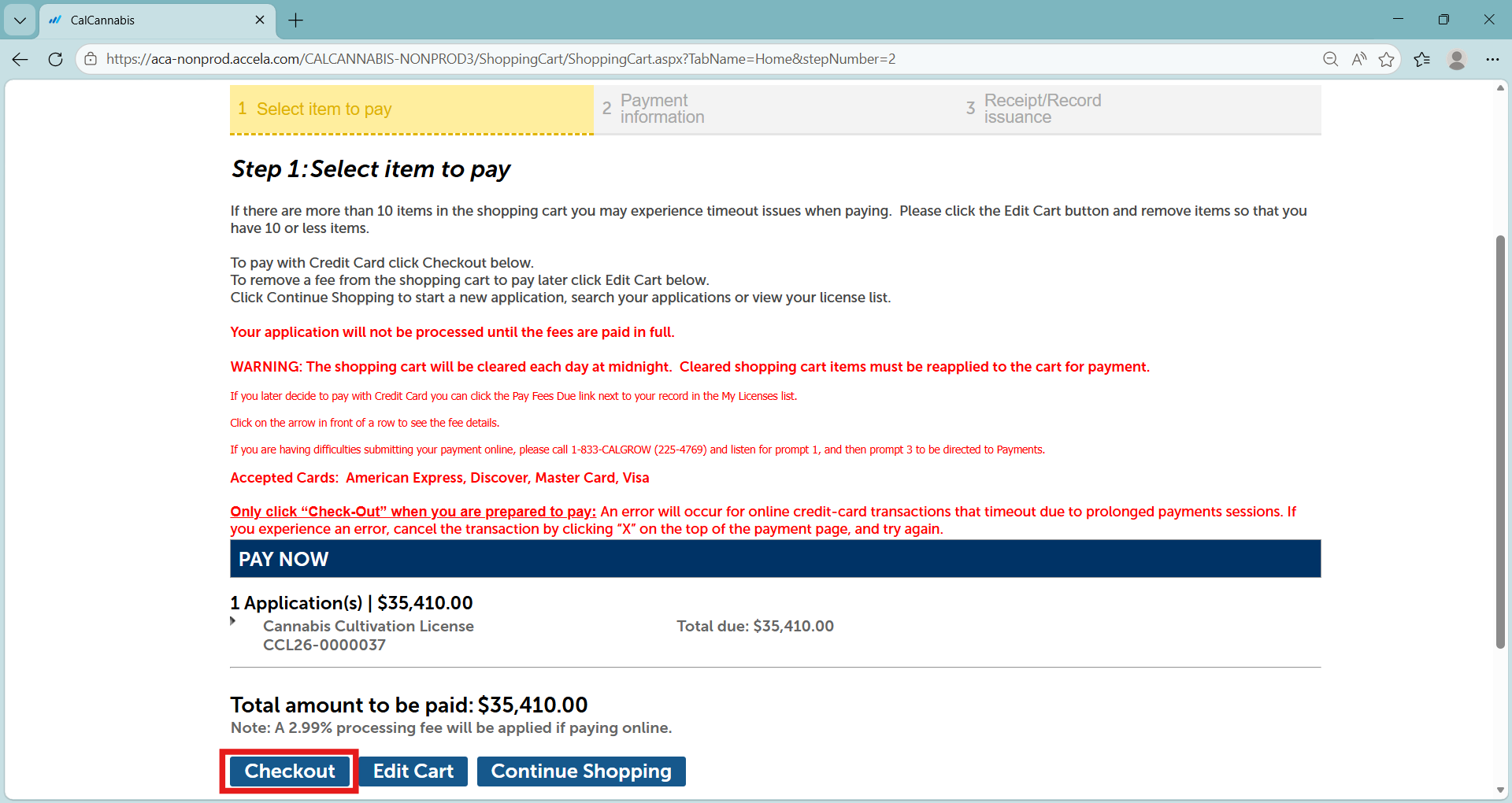
Click Checkout to continue with a card payment.
You will be redirected to a third-party website to enter your payment information and billing address.
Payment information
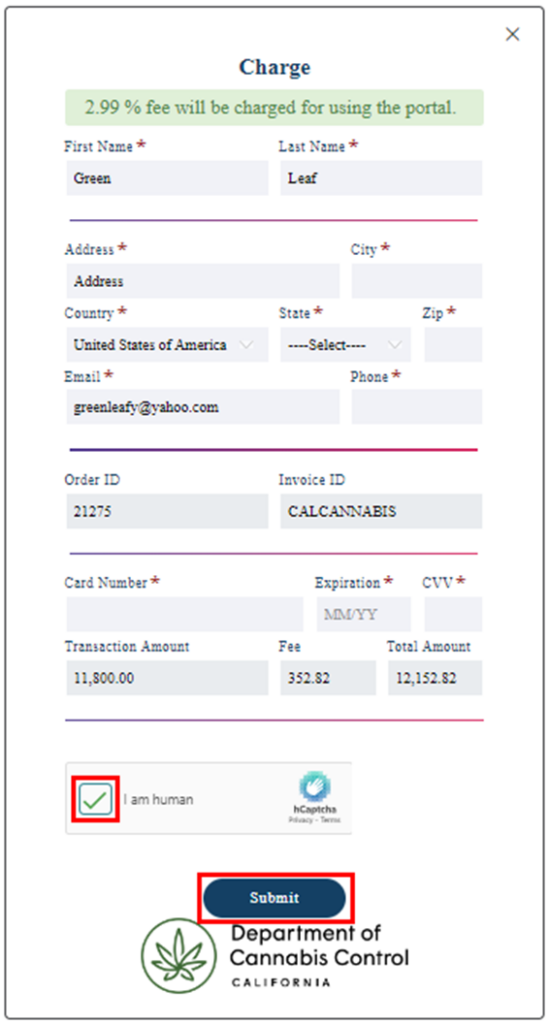
Enter your billing address and payment information in the fields provided and then click Submit.
Note: A processing fee is charged by the payment processor for credit or debit card transactions.
Confirmation and receipt
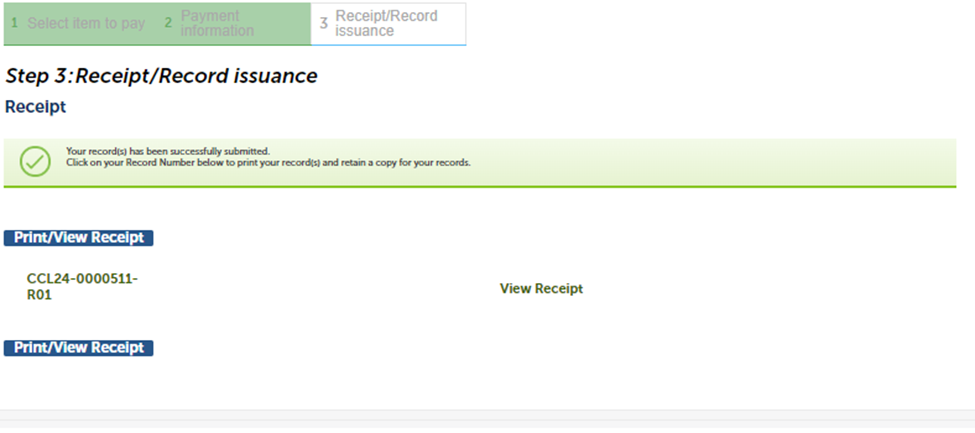
A confirmation message will display when payment has been processed.
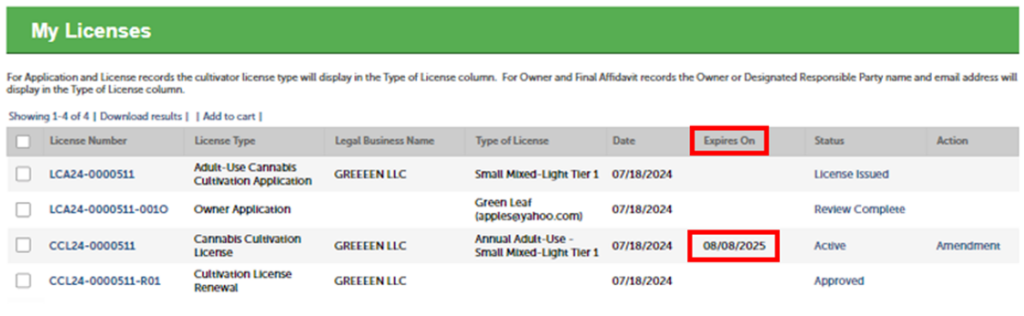
After making your payment, if there are no outstanding issues, the license will show a new “Expires On” date reflecting that your license has been renewed for one more year.